There was a time when I thought being busy meant I was making progress.
If I had dozens of emails to answer, documents to prepare, social media posts to create, information to copy between platforms, and meetings to summarize, I felt like I was doing what a business owner was supposed to do.
Eventually, I realized something uncomfortable: a large part of my working day was being consumed by tasks that did not require much thinking.
The problem was not that I had too much work. The problem was that I was repeatedly doing work that technology could handle.
That changed when I started experimenting with AI tools for business automation.
Instead of asking AI to simply write things for me, I started looking at my business differently. I began asking:
“Which tasks am I doing repeatedly that could be handled by AI or automated workflows?”
That question completely changed how I approached my daily work.
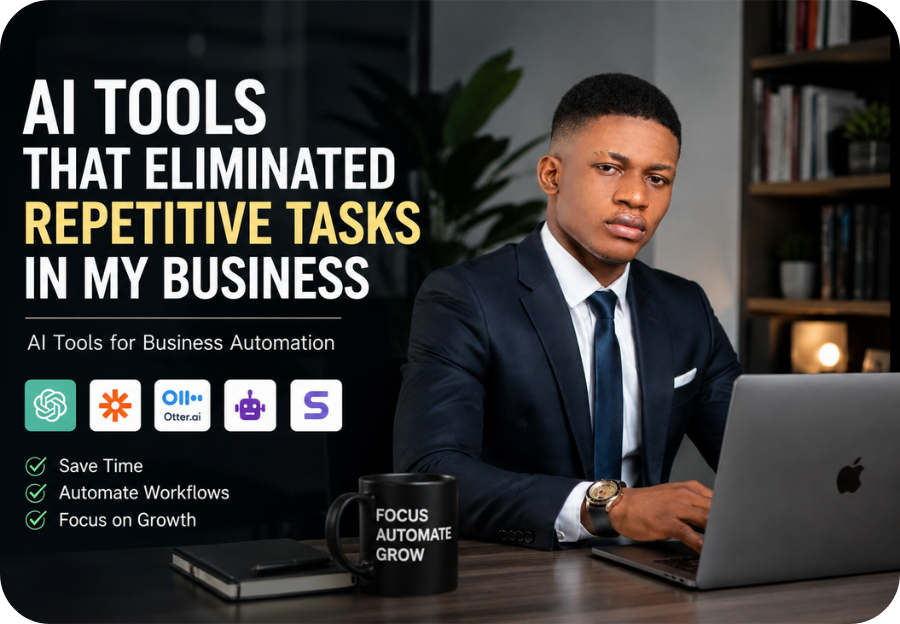
Today, I use a combination of AI assistants, automation platforms, meeting tools, research tools, and documentation software to reduce the amount of repetitive work I personally have to handle.
This is not about replacing people with AI or turning a business into a collection of robots. For me, the goal is much simpler:
Spend less time doing repetitive work and more time doing work that actually moves the business forward.
Here are the AI tools and workflows that made the biggest difference.
Why I Started Looking for AI Tools for Business Automation
Running a modern business means jumping between dozens of small responsibilities.
One moment I might be researching an article. The next, I am answering an email, preparing a social media post, organizing information, checking a document, updating a project, or responding to a customer.
None of these tasks seems particularly difficult on its own.
The problem is repetition.
If a task takes only five minutes but I perform it 20 times a week, that is nearly two hours spent on something that may not contribute directly to growth.
Multiply that across several repetitive activities and the amount of wasted time becomes surprisingly large.
That was my motivation for exploring AI tools for business automation.
I wasn’t looking for a magical tool that would run my entire business.
I wanted a collection of practical tools that could remove friction from the way I worked.
RECOMMENDED: I Asked AI to Generate 100 Best Startup Ideas – Here Are the 17 Startup Ideas Worth Building
1. ChatGPT – My Starting Point for Repetitive Knowledge Work
The first tool that changed my workflow was ChatGPT.
I don’t use it simply as a writing machine. I use it as a thinking and productivity assistant.
There are many small tasks that previously required me to start from a blank page.
For example:
- Creating first drafts
- Brainstorming ideas
- Summarizing information
- Rewriting content
- Turning notes into structured documents
- Creating outlines
- Developing social media ideas
- Checking grammar
- Creating variations of headlines
- Organizing research
- Turning long information into actionable points
The important distinction is that I don’t expect AI to produce the final answer every time.
Instead, it gives me a starting point.
That can eliminate one of the biggest productivity problems in business: starting from nothing.
Instead of spending 30 minutes staring at a blank document, I can have a rough structure in seconds and spend my time improving it.
The lesson I learned
AI doesn’t have to completely automate a task to make it valuable.
Sometimes reducing a 30-minute task to 10 minutes is already a significant improvement.
READ ALSO: Gemini vs ChatGPT Which One Is Better? Complete 2026 Comparison Guide
2. Zapier – Connecting My Business Tools Together
AI becomes much more powerful when it can trigger actions instead of simply generating text.
That’s where automation platforms such as Zapier become useful.
Zapier is designed to connect different applications and automate workflows between them. Its current platform supports thousands of app connections and includes AI-focused automation capabilities.
Think about a simple workflow.
Someone fills out a form.
Instead of manually:
- Opening the form
- Copying the information
- Adding the person to another system
- Sending an email
- Creating a task
- Notifying someone
an automated workflow can connect those steps.
The real value isn’t one automated action.
It’s the chain of actions.
A simple example
A new lead submits a form.
The workflow can:
New lead → database → notification → follow-up email → task
Once that workflow is properly configured, there is no reason for me to manually perform each step.
This is one of the biggest lessons I’ve learned about AI tools for business automation:
The best automation often happens between tools, not inside a single tool.
3. Scribe – Turning Repetitive Processes Into Documentation
One problem I underestimated was documenting how things are done.
Whenever I discovered a process that worked, I needed to remember how I had done it.
That becomes even more difficult when a business grows and other people eventually need to perform the same tasks.
Scribe approaches this problem differently.
Its software can capture a process as you perform it and turn the actions into a step-by-step guide. The platform is specifically designed around process documentation, SOPs, onboarding guides, and training materials.
That is useful for tasks such as:
- Creating standard operating procedures
- Documenting software workflows
- Training new team members
- Explaining recurring processes
- Creating internal guides
- Recording how a particular task should be completed
Instead of repeatedly explaining the same process to someone, I can document it once.
Why this matters
Documentation is not usually exciting.
But undocumented processes can become a hidden productivity problem.
If I have to answer the same “How do I do this?” question repeatedly, the problem isn’t necessarily the person asking.
The problem may be that the process was never properly documented.
AI-powered documentation helps turn repeated explanations into reusable business assets.
RECOMMENDED: My Honest Review of Perplexity AI: Is It Really Better Than Google and ChatGPT?
4. Otter.ai – Eliminating the “What Did We Discuss?” Problem
Meetings can create another form of repetitive work.
You have a conversation.
Then someone has to remember what was said, write notes, identify action items, and eventually communicate those details to everyone else.
That creates another opportunity for automation.
Otter.ai can transcribe meetings, generate summaries, identify key points, and capture action items. These capabilities make it useful when the alternative is manually writing everything down.
Instead of trying to write every sentence during a meeting, I can focus on the actual conversation.
Afterward, the AI-generated transcript and summary become a reference point.
The bigger productivity benefit
The value isn’t just saving time while taking notes.
It also reduces the need to ask:
- “What did we agree on?”
- “Who was supposed to do that?”
- “When did we discuss this?”
- “What were the main decisions?”
The meeting becomes searchable information rather than something that disappears once the call ends.
5. AI Writing Tools – Removing the Blank-Page Problem
Content creation can become extremely repetitive when you’re running a business with an active online presence.
You may need:
- Blog introductions
- Email drafts
- Social media posts
- Product descriptions
- Headlines
- Calls to action
- Video descriptions
- Content outlines
- Meta descriptions
AI writing tools can dramatically reduce the amount of time required to create first drafts.
Scribe’s current roundup, for example, highlights tools such as QuillBot and Copy.ai for tasks including rewriting, summarization, grammar assistance, social media content, email copy, and other forms of content production.
But I think there is an important rule here:
Don’t automate your personality.
AI can create the first draft, but your experience, opinions, examples, stories, and judgment are what make the content worth reading.
That’s particularly important if you’re building a personal brand.
The goal should be:
AI handles the repetitive production work. You provide the human perspective.
6. AI Research and Summarization Tools – Reducing Information Overload
Research is another area where AI can save enormous amounts of time.
Before using AI extensively, I would often have multiple tabs open while trying to extract useful information from articles, reports, documents, and other sources.
The challenge wasn’t always finding information.
It was processing it.
AI research assistants can help summarize large amounts of information and surface relevant points more quickly.
Scribe’s roundup describes Genei, for example, as an AI research assistant capable of summarizing source materials, extracting information, and helping users query collections of documents.
This type of workflow is particularly useful when researching:
- Market trends
- Competitors
- Business ideas
- Industry reports
- Customer research
- Technology
- Content topics
- Long documents
However, I never treat an AI-generated summary as the final authority.
For important decisions, I still go back to the original source.
AI makes research faster.
It doesn’t eliminate the need for judgment.
RECOMMENDED: I Tested 10 AI Tools to Build My Startup — Here’s What Actually Worked (And Why Lovable.dev Won)
7. AI-Powered Data Entry – Getting Rid of Copy-and-Paste Work
Few things feel more repetitive than manually transferring information from one place to another.
Copying information from invoices.
Moving information from forms into spreadsheets.
Extracting details from documents.
Updating databases.
Checking records.
These are precisely the types of workflows where AI-powered document processing can be useful.
Nanonets, for example, focuses on extracting structured information from documents using OCR and machine learning, including information from invoices, receipts, purchase orders, and other documents.
This illustrates an important category of business automation:
AI can turn unstructured information into structured data.
Instead of manually reading a document and typing the relevant information into another system, an AI-powered workflow can extract the data and pass it into the next step.
That can be particularly valuable when the business deals with large volumes of documents.
The Biggest Change Wasn’t the Tools
After experimenting with different AI tools, I realized something.
The biggest productivity improvement didn’t come from finding one incredible AI application.
It came from changing the way I looked at my work.
Before, my question was:
“How can I get this task done faster?”
Now I ask:
“Do I need to do this task manually at all?”
That is a completely different question.
If I perform the same task every day, I look for automation.
If I repeatedly explain something, I document it.
If I repeatedly write similar things, I create a reusable template or use AI for the first draft.
If I repeatedly move information between applications, I look for an integration.
If I repeatedly attend meetings where notes are required, I use AI transcription.
The tools are only part of the solution.
The bigger advantage comes from identifying repetitive processes.
READ ALSO: My Entrepreneur Journey: The Late Nights, Hard Lessons, and Success Stories That Changed My Life
My Simple Framework for Automating Repetitive Business Tasks
If you’re just starting, you don’t need to automate everything.
I recommend starting with a simple four-step process.
Step 1: Track Your Repetitive Tasks
For one week, pay attention to everything you do repeatedly.
Write down tasks that happen:
- Every day
- Every week
- Every time you receive a new lead
- Every time you publish content
- Every time you hold a meeting
- Every time you onboard someone
- Every time you receive a document
You may be surprised by how much repetition exists in your business.
Step 2: Separate Thinking From Execution
Ask whether the task actually requires your judgment.
For example:
Writing a personalized business strategy: human judgment is important.
Turning meeting notes into a summary: AI can help.
Making a strategic investment decision: human judgment is essential.
Moving information from a form into a spreadsheet: automation may be appropriate.
This distinction prevents you from automating things that shouldn’t be automated.
Step 3: Automate the Most Repetitive Tasks First
Don’t start with the most complicated process.
Start with something simple that happens frequently.
If a task takes five minutes and happens 30 times a month, automating it can potentially save 2.5 hours every month.
Now imagine doing that with five different processes.
The savings start adding up.
Step 4: Review the Automation
Automation should not mean “set it and forget it forever.”
Check your workflows regularly.
AI can make mistakes. Integrations can fail. Business processes change.
A good automated system should still have appropriate human oversight, particularly when money, customers, sensitive information, or important business decisions are involved.
What I Would Not Automate With AI
There is a temptation to automate everything once you see what AI can do.
I don’t think that’s a good idea.
Some tasks should remain heavily human.
I would be cautious about fully automating:
- Important financial decisions
- Sensitive customer communications
- Hiring decisions
- Legal decisions
- Major strategic decisions
- Brand-defining communication
- High-stakes customer complaints
- Anything involving confidential information without appropriate safeguards
AI should remove unnecessary work.
It shouldn’t remove responsibility.
AI Automation Isn’t About Working Less
This is probably the biggest misconception about business automation.
When people hear “automation,” they often think the goal is to work as little as possible.
That’s not how I see it.
The real goal is to move my time toward higher-value activities.
If AI saves me two hours from administrative work, those two hours shouldn’t necessarily disappear.
They can be redirected toward:
- Building products
- Speaking with customers
- Developing new ideas
- Creating content
- Improving marketing
- Studying the market
- Building partnerships
- Making strategic decisions
That’s where the real return comes from.
The AI Business Workflow I’m Moving Toward
The future of my workflow isn’t going to be one AI tool doing everything.
I see it more as a connected system.
Something like:
Capture → AI processes → Automation triggers → Information is stored → Human reviews → Action happens
For example:
Customer submits information
↓
AI categorizes the request
↓
Automation sends it to the appropriate system
↓
AI prepares a response or summary
↓
Human reviews when necessary
↓
The workflow continues automatically
That’s much more powerful than simply asking an AI chatbot to write something.
It turns AI from a tool you occasionally use into part of the operating system of the business.
READ ALSO: I Asked AI to Generate 100 Best Startup Ideas – Here Are the 17 Startup Ideas Worth Building
The Real Lesson From Using AI Tools for Business Automation
The biggest lesson I’ve learned is that productivity isn’t about doing more things.
It’s about spending more of your limited time on the things that actually matter.
There will always be another email.
Another spreadsheet.
Another document.
Another meeting.
Another report.
Another repetitive process.
If I manually handle all of them, my business can eventually become a machine that creates work for me.
But when I identify repetitive processes and use AI tools for business automation, I can build systems that handle some of that work automatically.
That gives me something more valuable than simply saving a few minutes.
It gives me back attention.
And for a business owner, attention is one of the most valuable resources you have.
Final Thoughts
AI isn’t going to eliminate every task in my business, and I don’t want it to.
There are things I should personally handle because they require creativity, judgment, relationships, experience, and responsibility.
But there are also hundreds of small tasks that don’t need to consume my attention.
Those are the tasks I want AI to handle.
The biggest shift happened when I stopped asking, “What can AI create for me?” and started asking, “What repetitive work can I remove from my day?”
That question has led me to some of the most useful AI tools for business automation I’ve experimented with.
And I suspect that as AI agents and business automation platforms continue improving, the real competitive advantage won’t belong to businesses that simply use the most AI tools.
It will belong to businesses that build the smartest workflows around them.
Frequently Asked Questions
What are AI tools for business automation?
AI tools for business automation are software applications that use artificial intelligence to perform, assist with, or trigger repetitive business processes. They can help with tasks such as writing, data entry, research, meeting summaries, customer communication, documentation, and workflow automation.
What business tasks can AI automate?
Common examples include data entry, document processing, meeting transcription, content drafting, email assistance, lead management, customer support, research summarization, workflow notifications, and repetitive administrative tasks.
Can AI completely automate a business?
Not realistically. AI can automate many repetitive processes, but businesses still need human judgment for strategy, relationships, creativity, oversight, and important decisions. The most effective approach is usually a combination of AI automation and human review.
Are AI automation tools useful for small businesses?
Yes. Small businesses can benefit significantly because automation can reduce administrative work without requiring a large operations team. The key is to start with repetitive, high-frequency tasks where automation can provide a measurable benefit.
What is the best way to start using AI automation?
Start by documenting your repetitive tasks for a week. Identify the activities that consume the most time without requiring much judgment, then automate one process at a time. Measure the results before expanding the system.