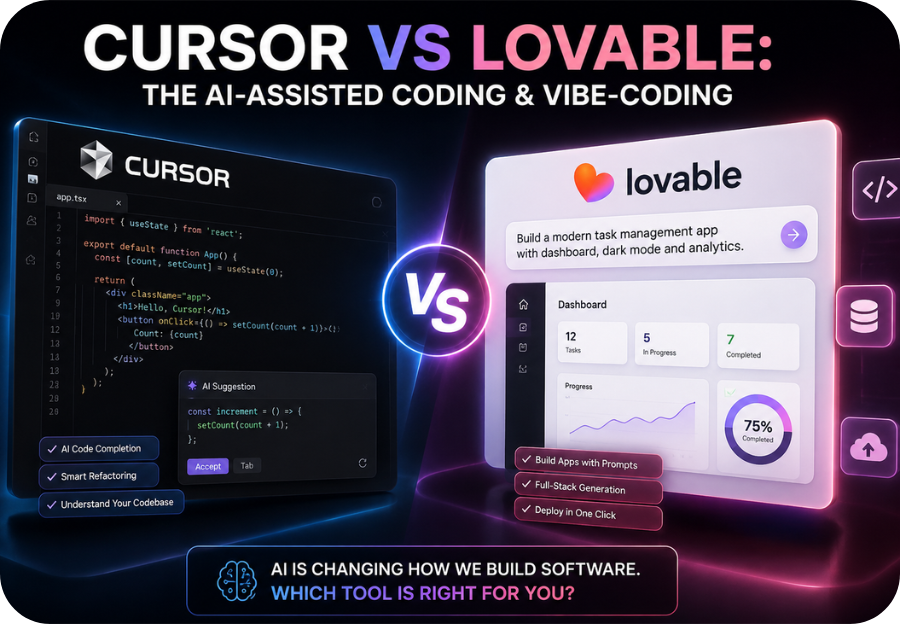
Artificial intelligence has completely changed how software is built. Instead of writing thousands of lines of code manually, developers can now describe what they want in plain English and let AI generate, edit, and even debug their applications.
Two of the most talked about platforms leading this revolution are Cursor and Lovable.
If you’ve been searching for the ultimate cursor vs lovable comparison, you’re probably wondering:
- Which one is better for beginners?
- Which produces higher quality code?
- Which AI coding assistant offers the best value?
- Can either tool replace traditional software development?
The answer depends on your experience level and what you’re trying to build.
In this comprehensive guide, we’ll compare Cursor vs Lovable across every important category—from features and pricing to AI capabilities, pros and cons, and real-world use cases—so you can confidently choose the right platform.
What Is Cursor?
Cursor is an AI-powered code editor built on top of Visual Studio Code (VS Code). It combines the familiarity of a professional development environment with advanced AI features that help developers write, edit, refactor, and understand code much faster.
Unlike traditional AI chatbots, Cursor works directly inside your codebase, allowing it to understand your project structure and provide context-aware suggestions.

Key Features of Cursor
- AI-powered autocomplete
- Natural language coding
- Smart debugging assistance
- Multi-file editing
- Code explanation
- AI-powered refactoring
- Terminal assistance
- Git integration
- Supports multiple programming languages
Cursor is ideal for developers who still want full control over their projects while benefiting from AI assistance.
What Is Lovable?
Lovable is an AI-powered application builder designed around the concept of vibe coding.
Instead of writing code manually, users simply describe the application they want in plain English, and Lovable generates a working web application automatically.
It focuses on speed, simplicity, and accessibility, making software development possible even for people with little or no coding experience.
Key Features of Lovable
- Prompt-to-app generation
- Full-stack application creation
- Beautiful UI generation
- Database integration
- Authentication support
- API integration
- One-click deployment
- Rapid MVP creation
- Visual editing
Lovable aims to eliminate much of the complexity of software development.
New To Lovable Dev?… Signup Today To Earn 100+ credits
Cursor vs Lovable at a Glance
| Feature | Cursor | Lovable |
|---|---|---|
| Primary Purpose | AI coding assistant | AI app builder |
| Best For | Developers | Beginners & entrepreneurs |
| Coding Required | Yes | Very little |
| Uses Natural Language | Yes | Yes |
| Generates Entire Apps | Partially | Yes |
| Built on VS Code | Yes | No |
| Visual Interface | Limited | Excellent |
| Deployment | Manual | Integrated |
| Learning Curve | Moderate | Very easy |
Related: Claude AI vs ChatGPT for Writing (2026): Which AI Writer Creates Better Content?
Cursor vs Lovable: Feature Comparison
1. Ease of Use
Cursor
Cursor feels familiar because it looks almost identical to VS Code.
Professional developers can begin using it immediately.
However, beginners may need some programming knowledge before they can take full advantage of its features.
Rating: ★★★★☆
Lovable
Lovable is designed for simplicity.
Users describe an application in plain English, and the AI generates the interface, backend, and functionality.
No programming experience is required for many projects.
Rating: ★★★★★
Winner: Lovable
2. AI Coding Capabilities
Cursor excels at writing actual production code.
It can:
- Refactor large projects
- Understand existing codebases
- Suggest improvements
- Fix bugs
- Generate functions
- Explain difficult code
Developers remain in full control.
Lovable focuses more on building complete applications rather than assisting with individual coding tasks.
Winner: Cursor
3. Vibe Coding Experience
Vibe coding refers to describing software ideas in natural language and allowing AI to generate the application.
Lovable was built specifically for this workflow.
Example:
“Build a task management app with user authentication, dark mode, and a dashboard.”
Lovable generates the project automatically.
Cursor can also generate code from prompts, but users still manage the coding environment.
Winner: Lovable
4. User Interface
Cursor provides a professional developer environment.
Lovable provides a clean visual workspace focused on rapid application building.
| UI Category | Cursor | Lovable |
|---|---|---|
| Traditional IDE | ✅ | ❌ |
| Drag-and-drop | ❌ | Limited |
| Visual Preview | Basic | Excellent |
| Beginner Friendly | Moderate | Excellent |
5. Speed of Development
If you’re building a startup MVP, landing page, or SaaS prototype, Lovable can produce working applications in minutes.
Cursor is faster than traditional coding but still requires developer involvement.
Winner: Lovable
6. Flexibility
Cursor supports nearly every major programming language, including:
- Python
- JavaScript
- TypeScript
- Java
- Go
- Rust
- PHP
- C++
- C#
- HTML
- CSS
Developers can customize almost everything.
Lovable offers less flexibility because it follows structured workflows.
Winner: Cursor
7. Collaboration
Cursor integrates smoothly with Git and existing software development workflows.
Lovable simplifies collaboration through its web interface, making it easier for non-technical teams.
Both perform well, but Cursor has the advantage for engineering teams.
See Also: Gemini vs ChatGPT Which One Is Better? Complete 2026 Comparison Guide
Cursor vs Lovable Pricing
| Plan | Cursor | Lovable |
|---|---|---|
| Free Plan | Yes | Yes |
| Paid Plans | Available | Available |
| Best Value | Professional developers | Startup founders & creators |
Pricing changes frequently, so check each platform’s official website for the latest plans.
Pros and Cons
Cursor Pros
- Excellent AI coding assistant
- Works with existing projects
- Powerful debugging
- Multi-language support
- Professional IDE
Cursor Cons
- Learning curve for beginners
- Still requires coding knowledge
- More suited to developers
Lovable Pros
- Extremely beginner-friendly
- Fast application generation
- Great UI creation
- Excellent for MVPs
- Minimal coding required
Lovable Cons
- Less control over generated code
- Limited customization compared to a full IDE
- Better suited for web apps than highly specialized software
Cursor vs Lovable for Different Users
| User Type | Best Choice |
|---|---|
| Professional developer | Cursor |
| Beginner | Lovable |
| Startup founder | Lovable |
| Software engineer | Cursor |
| Product designer | Lovable |
| Freelance developer | Cursor |
| No-code builder | Lovable |
| Technical entrepreneur | Cursor |
Real-World Use Cases
Choose Cursor If You Want To
- Build enterprise software
- Maintain large codebases
- Debug complex applications
- Work in a professional development environment
- Increase coding productivity
Choose Lovable If You Want To
- Launch an MVP quickly
- Build SaaS products
- Create internal business tools
- Prototype startup ideas
- Build applications without extensive coding
See Also: I Tested 10 AI Tools to Build My Startup — Here’s What Actually Worked (And Why Lovable.dev Won)
Can Cursor Replace Traditional IDEs?
For many developers, yes.
Cursor includes nearly everything found in a modern code editor while adding AI capabilities that significantly improve productivity.
Many developers now use Cursor as their primary development environment.
Can Lovable Replace Developers?
Not entirely.
Lovable can dramatically reduce development time and empower non-technical users to create functional applications.
However, complex enterprise software, custom integrations, security requirements, and advanced optimizations still benefit from experienced developers.
Think of Lovable as an AI-powered development partner rather than a complete replacement for software engineers.
Which One Is Better for Startups?
If your goal is to validate an idea quickly, Lovable has the edge.
Its ability to transform prompts into working applications allows founders to launch prototypes without assembling a large engineering team.
However, as a product matures and requires deeper customization, many startups transition to tools like Cursor for more advanced development and maintenance.
Cursor vs Lovable: Final Verdict
The cursor vs lovable debate isn’t about which platform is universally better, it’s about choosing the right tool for your workflow.
If you’re a developer who values flexibility, precision, and control, Cursor is the stronger choice. Its AI-assisted coding features integrate seamlessly into a professional coding environment, making it ideal for building and maintaining complex software projects.
If you’re a founder, entrepreneur, designer, or beginner who wants to turn ideas into working web applications with minimal coding, Lovable shines as one of the best vibe-coding platforms available. Its natural-language interface and rapid app generation make it perfect for quickly validating ideas and launching MVPs.
Ultimately, many teams can benefit from using both: Lovable to prototype and validate ideas rapidly, and Cursor to refine, extend, and scale those applications with greater control.
Cursor vs Lovable Comparison Summary
| Category | Winner |
|---|---|
| Ease of Use | Lovable |
| AI Coding | Cursor |
| Vibe Coding | Lovable |
| UI Design | Lovable |
| Flexibility | Cursor |
| Large Codebases | Cursor |
| Rapid MVP Creation | Lovable |
| Professional Development | Cursor |
| Beginners | Lovable |
| Experienced Developers | Cursor |
Frequently Asked Questions (FAQ)
Is Cursor better than Lovable?
It depends on your needs. In the cursor vs lovable comparison, Cursor is better for experienced developers who need a powerful AI-assisted code editor, while Lovable is better for beginners, founders, and anyone who wants to build applications quickly using natural language.
What is the main difference between Cursor and Lovable?
Cursor is an AI-powered code editor built for developers, whereas Lovable is an AI app builder focused on generating full-stack web applications through prompts with minimal manual coding.
Is Lovable good for beginners?
Yes. Lovable is designed for users with little or no programming experience, making it an excellent choice for entrepreneurs, designers, and startup founders.
Can Cursor build an entire application?
Yes, Cursor can help generate large portions of an application and assist throughout the development process. However, developers are still responsible for structuring, reviewing, and managing the project.
Which platform is better for vibe coding?
Lovable is generally considered the stronger option for vibe coding because it emphasizes prompt-driven application creation with minimal coding.
Does Cursor support multiple programming languages?
Yes. Cursor supports many popular languages, including Python, JavaScript, TypeScript, Java, Go, PHP, Rust, C++, C#, HTML, and CSS.
Is there a free version of Cursor and Lovable?
Yes. Both platforms offer free plans with usage limits, allowing users to explore their core features before upgrading to paid subscriptions.
Which tool should startups choose?
For rapid prototyping and MVP development, Lovable is often the better choice. As products grow and require more customization and maintenance, Cursor becomes increasingly valuable for professional development workflows.